How to Declutter Your Digital Life for a Clearer Mind is a crucial topic in today’s fast-paced, technology-driven world. As our lives become increasingly intertwined with digital devices, the accumulation of digital clutter can lead to feelings of overwhelm and distraction. By understanding the sources and impacts of digital clutter, we can take deliberate steps to create a more organized and serene digital environment.
This article will guide you through the nuances of digital clutter, providing practical strategies for assessing your digital space, decluttering your devices, and maintaining a clear digital life. In addition, we will explore tools and resources that can enhance your digital organization and discuss the benefits of integrating mindfulness into your digital habits.
Understanding Digital Clutter
Digital clutter refers to the accumulation of unnecessary or irrelevant digital files, notifications, and applications that can overwhelm an individual’s online experience. This clutter can significantly impact mental well-being by leading to feelings of anxiety, distraction, and a lack of focus. The constant presence of digital distractions can create a chaotic mental environment, hindering one’s ability to concentrate and ultimately diminish overall productivity.Common sources of digital clutter in daily life include overflowing email inboxes, unorganized digital files on computers and mobile devices, and a multitude of unused applications.
Social media notifications and subscription alerts also contribute to the clutter, drawing attention away from essential tasks. This phenomenon has become increasingly prevalent as technology evolves, enabling constant connectivity and an influx of information that can be challenging to manage effectively.
Psychological Effects of an Overloaded Digital Environment
The psychological effects of an overloaded digital environment are profound and can manifest in various ways. Individuals frequently experience heightened stress levels when faced with excessive digital clutter. The inability to find necessary files or information can lead to frustration and a sense of loss of control. Moreover, the omnipresence of notifications can create an environment of continuous interruption, which disrupts focus and diminishes productivity.The impact of digital clutter extends beyond mere annoyance; it can affect cognitive functions, such as memory and decision-making.
Studies indicate that a cluttered digital environment can lead to cognitive overload, where the brain struggles to process information efficiently. This overload can result in diminished creativity and reduced problem-solving abilities.Furthermore, digital clutter can impede the development of healthy digital habits. A clutter-free digital space allows for clearer thinking and better mental organization. By reducing the number of distractions and fostering a more streamlined digital experience, individuals can enhance their mental clarity and overall well-being.
“Reducing digital clutter is essential for maintaining a healthy mindset in our technology-focused world.”
Assessing Your Digital Space
Assessing your digital space is a crucial step toward decluttering your digital life. This process involves evaluating your files, accounts, and applications to identify what is essential and what is no longer needed. By systematically examining your digital environment, you can create a more organized and productive space that fosters clarity and focus. This section will guide you through a comprehensive approach to assessment, ensuring that your digital footprint aligns with your current needs and goals.
Step-by-Step Evaluation of Digital Files and Accounts
To effectively assess your digital space, follow this methodical approach:
1. Inventory Your Digital Files
Begin by listing all your digital files stored on various devices such as computers, tablets, and smartphones. Include cloud storage services as well. This will provide a complete overview of what you have.
2. Categorize Files
Organize your files into categories based on their purpose. Common categories include Work, Personal, Projects, Photos, and Downloads. This aids in visualizing your digital landscape and helps in making informed decisions about file retention.
3. Review and Purge
Go through each category and evaluate the necessity of each file. Ask yourself if the file still serves a purpose or if it can be archived or deleted. Make use of a consistent method, such as the 80/20 rule, where you identify the 20% of files that provide 80% of the value.
4. Audit Your Accounts
List all your online accounts, including social media, subscriptions, and services. Take note of their usage frequency and relevance to your current life.
5. Assess Account Security
Ensure that accounts you intend to keep are secure. Update passwords and enable two-factor authentication where possible to protect against unauthorized access.
Identifying Unnecessary Applications and Subscriptions
Streamlining your digital environment also involves identifying applications and subscriptions that may no longer be beneficial. Here are the steps to do so:
1. List All Applications
Create a list of all applications installed on your devices, including mobile apps and desktop software.
2. Evaluate Usage
Track how often you use each application over a month. This can often be done through settings or usage statistics available on the devices.
3. Assess Relevance
For each application, determine whether it aligns with your current needs or goals. If an app hasn’t been used in the last few months or is redundant due to alternative tools, consider uninstalling it.
4. Review Subscriptions
Look at your current subscriptions, whether they are for streaming services, software, or memberships. Evaluate whether you are actively using them or if they are just taking up space.
5. Cancel Unnecessary Services
For subscriptions that no longer serve a purpose, cancel them to prevent unnecessary charges and to free up your digital space.
Categorizing Digital Files for Better Organization
A well-organized digital space is essential for productivity and peace of mind. Consider the following strategies for categorizing your digital files:
1. Create a Folder Hierarchy
Establish a clear folder hierarchy that reflects your workflow. For instance, within a ‘Work’ folder, you may have subfolders for Projects, Reports, and Meetings.
2. Use Descriptive File Names
Instead of generic file names, use descriptive titles that include dates and s, making it easier to locate files later.
3. Implement Version Control
For documents that undergo frequent changes, consider a version control system that allows you to track edits and maintain previous versions without cluttering your space.
4. Utilize Tags and Labels
Many operating systems and cloud services allow tagging of files. Utilize tags to add additional context, such as status (e.g., ‘In Progress’, ‘Completed’), to enhance searchability.
5. Backup and Archive
Regularly back up files that you wish to keep but do not need frequent access to. Use external drives or cloud storage for archiving purposes, ensuring that your active workspace remains uncluttered.
By systematically assessing your digital space, identifying unnecessary items, and categorizing your files, you can create an organized digital environment that supports a clearer mind and increased productivity.
Strategies for Decluttering
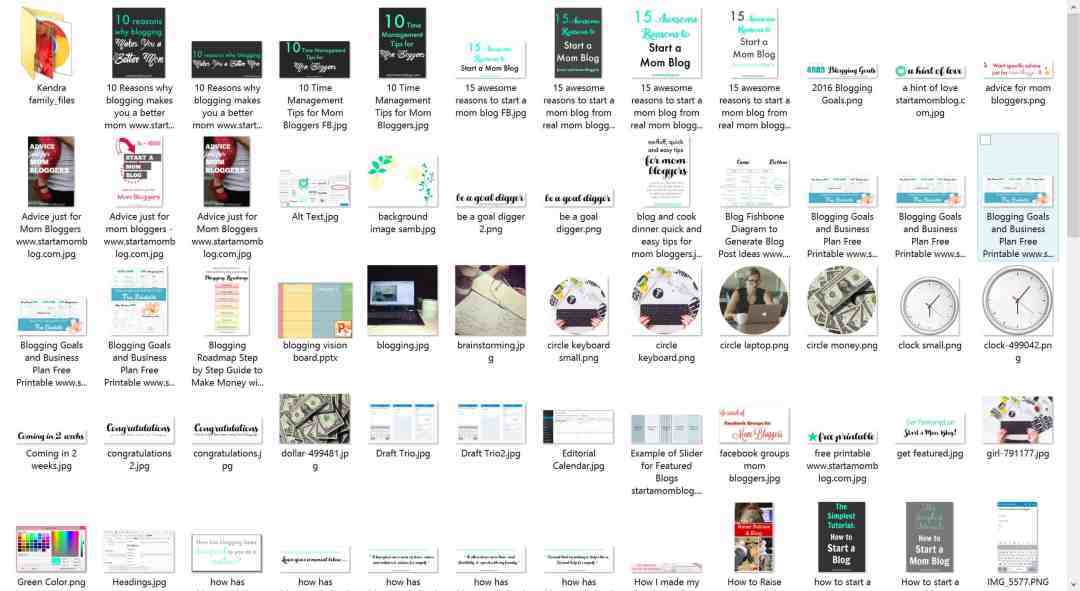
In an age where digital interactions dominate our lives, the accumulation of digital clutter can be overwhelming. Implementing effective strategies to declutter our digital spaces is essential for enhancing focus and mental clarity. A systematic approach can make the process manageable and encourage ongoing maintenance of our digital environments.
Comprehensive Checklist for Decluttering Digital Devices
Creating a checklist is an effective method to ensure all aspects of your digital life are addressed. This structured approach helps in tracking your progress and ensuring nothing is overlooked. Below is a comprehensive checklist for decluttering digital devices:
- Review your files and folders: Delete duplicates, outdated documents, and irrelevant data.
- Organize files into categorized folders for easier access.
- Clear your desktop: Remove unnecessary icons and files, keeping only what is essential.
- Audit your email: Unsubscribe from newsletters and promotional emails that no longer offer value.
- Assess your applications: Identify and uninstall applications that you no longer use.
- Backup important data: Ensure that vital information is stored securely before deleting anything.
- Update your software: Keep your operating system and applications updated for maximum efficiency.
Unsubscribing from Unwanted Emails and Newsletters
The process of unsubscribing from unwanted emails and newsletters is an important step in maintaining a tidy digital space. An overloaded inbox can lead to distraction and stress. To effectively manage your email subscriptions, follow these steps:
1. Identify unwanted emails
Start by looking for newsletters or promotional emails that you no longer read.
2. Locate the unsubscribe link
Most legitimate emails will include an unsubscribe link at the bottom of the message.
3. Follow the instructions
Click the unsubscribe link and follow the prompts to remove yourself from the mailing list.
4. Use tools for bulk unsubscribe
Consider using third-party tools that can help manage and unsubscribe from multiple lists simultaneously.
5. Set a routine
Regularly review your subscriptions every few months to keep your inbox clutter-free.
Systematic Methods for Deleting Unused Apps and Programs
Deleting unused apps and programs is crucial for optimizing device performance and freeing up storage space. A systematic approach ensures that your devices operate smoothly and efficiently. The following steps Artikel the process for removing unwanted applications:
- Evaluate usage: Check which apps you use regularly and which you can live without.
- Check for hidden bloatware: Identify pre-installed applications that you may never use.
- Uninstall from mobile devices: On smartphones and tablets, press and hold the app icon to access the option to delete.
- Remove from computers: On Windows, navigate to Settings > Apps; on Mac, drag apps to the Trash.
- Consider alternatives: If an app is not serving your needs, look for more effective alternatives that can provide the same functionality.
- Regular maintenance: Schedule monthly reviews of your apps to ensure they align with your current needs.
A decluttered digital life is a pathway to a clearer mind, enabling greater focus and enhanced productivity.
Maintaining a Clutter-Free Digital Life
Establishing a routine for digital decluttering is essential for fostering a more organized and serene digital environment. Just as physical clutter can weigh heavily on one’s mind, digital clutter can cloud mental clarity and focus. Regularly assessing and managing digital spaces ensures that they remain efficient and relevant.
Importance of Establishing a Digital Decluttering Routine
A digital decluttering routine serves as a proactive measure to manage the accumulation of digital files and content over time. By dedicating specific intervals, such as weekly or monthly, to review and organize digital spaces, individuals can significantly reduce the stress associated with disorganization.
- Consistency in scheduling decluttering sessions allows for more manageable tasks, preventing feelings of overwhelm.
- Routine decluttering can increase productivity by minimizing distractions from unnecessary digital clutter.
- Regular assessments help in identifying and eliminating outdated or irrelevant content, ensuring that only essential information is retained.
Setting Boundaries on New Digital Content Consumption
In an age where information is abundant, learning to set boundaries regarding digital content consumption is crucial. Establishing limits helps individuals take control of their digital environments and maintain clarity.
- Create a content consumption schedule: Allocate specific times for checking emails, social media, and news, minimizing impulsive browsing.
- Unsubscribe from unnecessary email lists: Regularly review and remove yourself from mailing lists that no longer serve your interests.
- Use content filtering tools: Implement apps or browser extensions that block distractions and curate content based on your preferences.
Effective Strategies for Organizing Files and Folders
Organizing files and folders in a coherent manner is fundamental to preserving a clutter-free digital life. An efficient organization system not only aids in quick retrieval but also enhances overall productivity.
- Implement a hierarchical folder structure: Create main folders for broad categories and subfolders for specific topics or projects.
- Utilize clear and descriptive naming conventions: Use consistent naming patterns for files and folders, incorporating dates and s for easier identification.
- Regularly archive or delete old files: Schedule time to review and either archive outdated documents or delete files that are no longer needed, keeping only current projects accessible.
“A well-organized digital space contributes to a more focused mind and enhanced productivity.”
Tools and Resources for Digital Decluttering
In the pursuit of a clearer mind through digital decluttering, utilizing the right tools and resources is paramount. Various applications and software are designed to assist individuals in managing their digital spaces more effectively. Understanding these tools can streamline the decluttering process, making it an easier and more efficient endeavor.
Useful Apps and Software for Decluttering
Numerous applications and software solutions cater specifically to digital decluttering, each offering unique features tailored to enhance organization and productivity. These tools can help users manage files, emails, and other digital assets, thereby reducing clutter and enhancing focus. Below are some noteworthy options:
- CleanMyMac
-This app is designed for users of macOS, providing a comprehensive suite for cleaning junk files, uninstalling applications, and optimizing system performance. - Evernote
-A powerful note-taking application that allows users to store, organize, and share notes, documents, and images efficiently, reducing the digital chaos and improving accessibility. - Trello
-This project management tool helps users organize tasks and projects visually, allowing for better tracking and management of digital responsibilities. - Digital Cleanup
-A simple tool for Windows users that helps in identifying and removing duplicate files, thereby freeing up valuable storage space. - Google Drive
-A cloud-based service that enables users to store files, collaborate on documents in real time, and maintain orderly file organization through easy categorization.
Comparison of Cloud Storage Solutions for File Organization
Selecting the right cloud storage solution can significantly impact one’s ability to organize files effectively. Each service has distinct features that cater to different needs. Here is a comparison of some popular cloud storage options:
| Cloud Storage Solution | Storage Space | Key Features | Pricing |
|---|---|---|---|
| Google Drive | 15 GB free; paid plans available | Real-time collaboration, integration with Google Workspace, easy file sharing | Starts at $1.99/month for 100 GB |
| Dropbox | 2 GB free; paid plans available | File synchronization, selective sync, easy sharing links | Starts at $11.99/month for 2 TB |
| Microsoft OneDrive | 5 GB free; paid plans available | Integration with Microsoft Office, file version history, personal vault | Starts at $1.99/month for 100 GB |
| iCloud Drive | 5 GB free; paid plans available | Seamless integration with Apple devices, file sharing and collaboration | Starts at $0.99/month for 50 GB |
Utilizing Productivity Tools to Streamline Digital Habits
Incorporating productivity tools into daily routines can significantly enhance digital organization and reduce clutter. These tools aid in establishing better habits, allowing users to manage their time and tasks more efficiently. Important methods include:
- Pomodoro Technique
-This time management technique encourages focused work sessions, followed by breaks, to enhance productivity and minimize distractions. - Task Management Apps
-Applications like Todoist or Asana can help in prioritizing tasks, setting deadlines, and breaking projects into manageable steps. - Email Filters and Folders
-Utilizing filters to automatically sort incoming emails into designated folders can drastically reduce inbox clutter and improve email management. - Browser Extensions
-Tools such as StayFocusd or Pocket can assist in managing online distractions, allowing users to focus on essential tasks while saving interesting articles for later reading.
Mindfulness and Digital Detoxification

Digital detoxification refers to a period during which individuals intentionally abstain from using digital devices to reconnect with the present moment and improve their overall mental health. The benefits of engaging in a digital detox include enhanced mental clarity, reduced stress levels, improved focus, and the development of healthier relationships with technology. In a world saturated with screens and notifications, taking the time to disconnect can foster a deeper sense of awareness and presence.Mindfulness, in relation to digital interactions, involves staying present and intentional while using technology.
It promotes a more thoughtful approach to how we engage with digital content and interactions. By incorporating mindfulness practices, individuals can transform their relationship with technology, reducing feelings of overwhelm and distraction. Mindfulness can be integrated into daily digital interactions through techniques such as setting specific times for checking devices, practicing deep breathing before engaging with screens, and being conscious of emotional responses triggered by digital content.To effectively conduct a digital detox, planning is essential.
A structured plan for a digital detox weekend or week can include specific activities designed to foster disconnection from technology and promote mindfulness. Below is a suggested plan that Artikels activities for each day, allowing for a rejuvenating experience.
Digital Detox Plan
A well-structured digital detox plan can facilitate a meaningful break from technology. The following Artikel provides suggestions for activities that can enhance mental clarity and mindfulness throughout the detox period:
- Day 1: Prepare for Detox
Begin by informing friends and family about your digital detox. Set up an out-of-office message for emails and social media to manage expectations.
- Day 2: Nature Immersion
Spend the day outside in nature. Engage in activities such as hiking, walking, or simply enjoying a park. Focus on the sights, sounds, and sensations of your environment.
- Day 3: Mindfulness Practices
Dedicate time to mindfulness activities such as meditation or yoga. Use this day to explore mindfulness apps without the distraction of social media or notifications.
- Day 4: Creative Exploration
Engage in offline creative activities such as painting, drawing, or journaling. Allow yourself to express your thoughts freely without the influence of digital media.
- Day 5: Social Connections
Plan a gathering with friends or family without the use of digital devices. Focus on genuine conversations and shared experiences.
- Day 6: Reflection and Gratitude
Spend time reflecting on your experiences throughout the detox. Write down your feelings, insights, and any changes in your perspective regarding technology use.
- Day 7: Gradual Reintroduction
Carefully reintroduce technology into your life, prioritizing mindfulness. Set intentions for how you will engage with digital content going forward.
“Disconnecting from technology can lead to deeper connections with ourselves and those around us.”
This structured approach allows for a comprehensive digital detox experience, fostering a sense of clarity and mindfulness that can significantly impact one’s mental health and relationship with technology.
Building Healthy Digital Habits
In today’s fast-paced digital world, cultivating healthy digital habits is essential for maintaining mental clarity and achieving a balanced lifestyle. With the abundance of information and communication tools at our fingertips, it becomes imperative to develop strategies that promote mindful usage and minimize digital clutter. This guide Artikels effective techniques for monitoring screen time, as well as the significance of managing social media to foster a clutter-free mindset.
Implementing Healthy Technology Use Habits
Establishing healthy technology use habits can significantly enhance productivity and overall well-being. The following practices can be integrated into daily routines to promote responsible device usage:
- Set Specific Usage Goals: Define clear objectives for how you want to use technology each day, focusing on both work-related tasks and leisure activities.
- Designate Tech-Free Zones: Identify areas in your home where technology is not permitted, such as the dining room or bedroom, to encourage personal interactions and better sleep.
- Utilize Do Not Disturb Features: Activate this setting during designated work periods or personal time to reduce distractions and enhance focus.
- Schedule Regular Breaks: Implement the Pomodoro Technique by working for 25 minutes followed by a 5-minute break, which can help refresh your mind and maintain productivity.
- Limit Notifications: Disable non-essential notifications to decrease interruptions and foster a more tranquil digital environment.
Monitoring Screen Time Effectively
Understanding and managing screen time is crucial for maintaining a healthy relationship with technology. Here are techniques to monitor and assess usage effectively:
- Utilize Built-in Screen Time Trackers: Most devices come equipped with screen time tracking features that allow users to monitor daily and weekly usage patterns, providing insights into habits.
- Set Limits on App Usage: Many smartphones offer options to set daily time limits on specific applications, encouraging more intentional use.
- Reflect on Usage Patterns: Regularly review your screen time data to identify trends and consider adjusting habits to align with your goals for productivity and well-being.
- Engage in Digital Detox Days: Designate specific days to refrain from non-essential technology use, fostering mindfulness and awareness of your habits.
Role of Social Media Management
Effective social media management is vital for maintaining a clutter-free mindset. By curating online interactions, individuals can reduce digital overwhelm and enhance their mental space. Consider the following strategies:
- Unfollow Unnecessary Accounts: Regularly assess your social media following list and remove accounts that do not contribute positively to your mental health or interests.
- Limit Time on Social Platforms: Establish specific timeframes for social media usage each day to prevent excessive scrolling and mindless consumption.
- Engage Mindfully: Focus on quality over quantity in social media interactions by actively participating in discussions that inspire or educate rather than passively consuming content.
- Curate a Positive Feed: Follow pages and accounts that align with your values and interests, fostering a more enriching social media experience.
“The mind is like a parachute. It doesn’t work if it is not open.”Frank Zappa
Last Recap
In conclusion, decluttering your digital life is not merely about organization; it is a pathway to achieving mental clarity and improved well-being. By implementing the strategies and tools discussed, you can cultivate a healthier relationship with technology, allowing for greater focus and peace of mind. A mindful approach to your digital interactions will not only enhance productivity but also enrich your overall quality of life.